
The KPIs you report on, on one screen.
An interactive Excel dashboard built around your numbers and your brand, refreshed in seconds. The data work that feeds it is included. No third-party tools, plug-ins or BI licences.
Questions answered in the meeting, instead of the evening after it.
Your team already knows which numbers matter. We put them on one screen that filters and refreshes itself, so the next “can you split that by region?” takes a click.
Each month-end today
After we've built it
Built around the numbers each business actually runs on.
Four example dashboards, shown here with sample data. Each one refreshes in one click and filters with a single tap. Yours is designed from scratch around your KPIs, your filters and your branding.
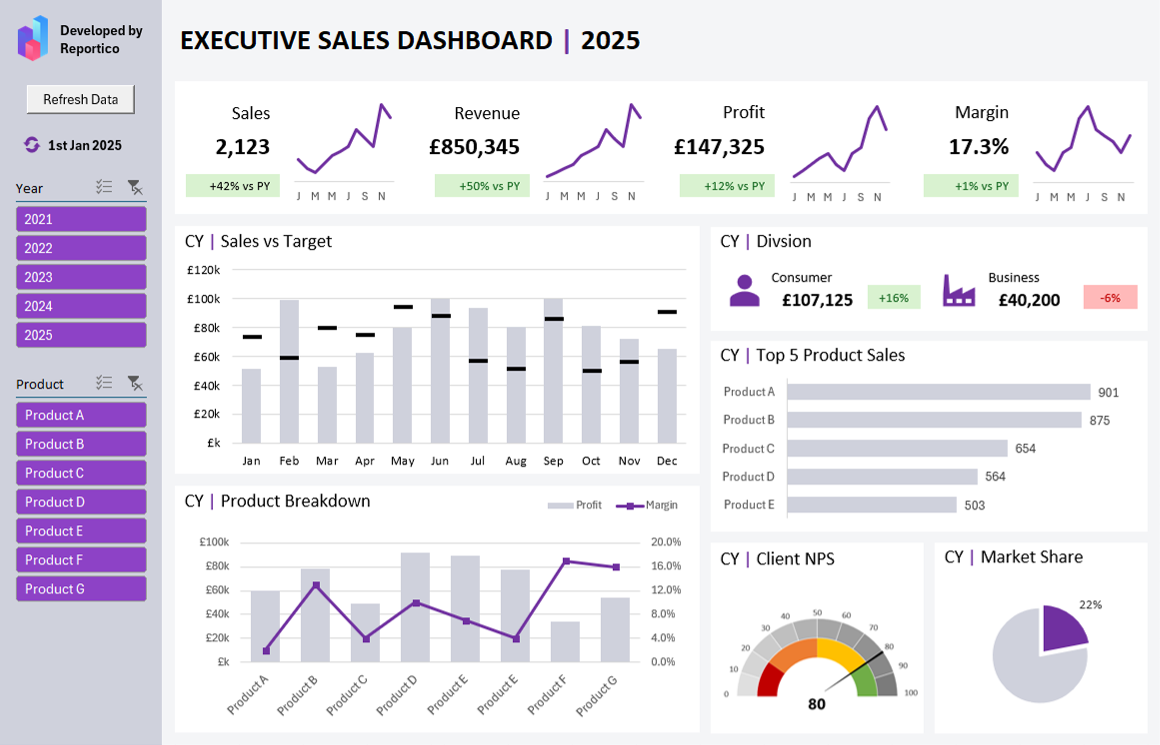
Executive sales dashboard
Sales, revenue, profit and margin against last year, sales against target by month, and the top five products.
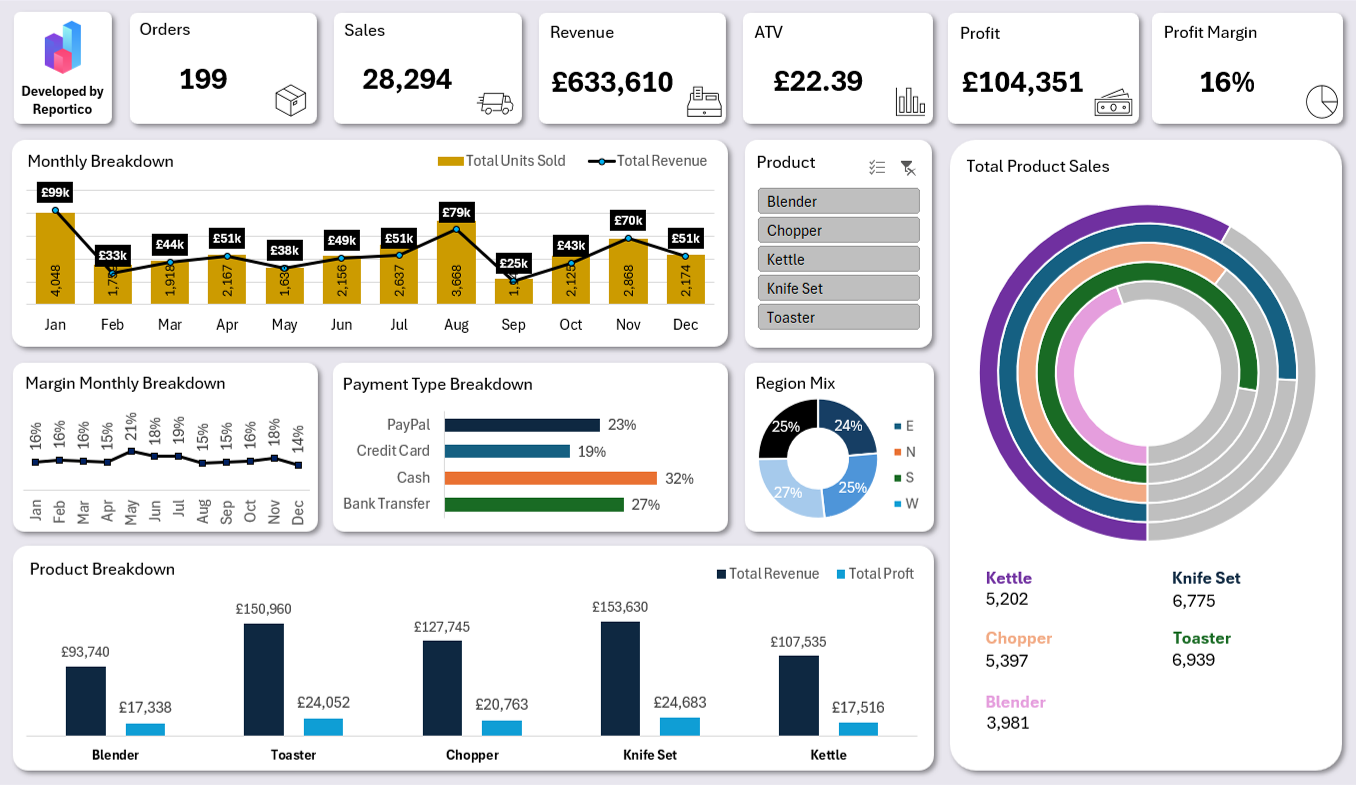
Retail product performance
Orders, revenue, average transaction value and margin, with payment type, region mix and a breakdown by product.
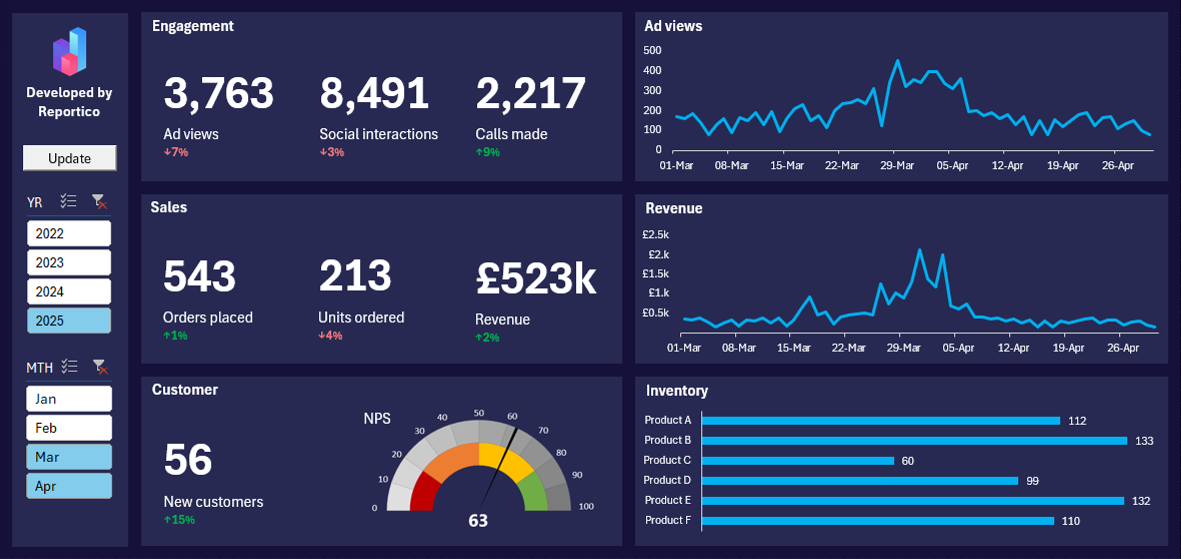
Marketing and sales performance
Ad views, interactions and calls alongside orders and revenue, with daily trends, customer NPS and stock levels.
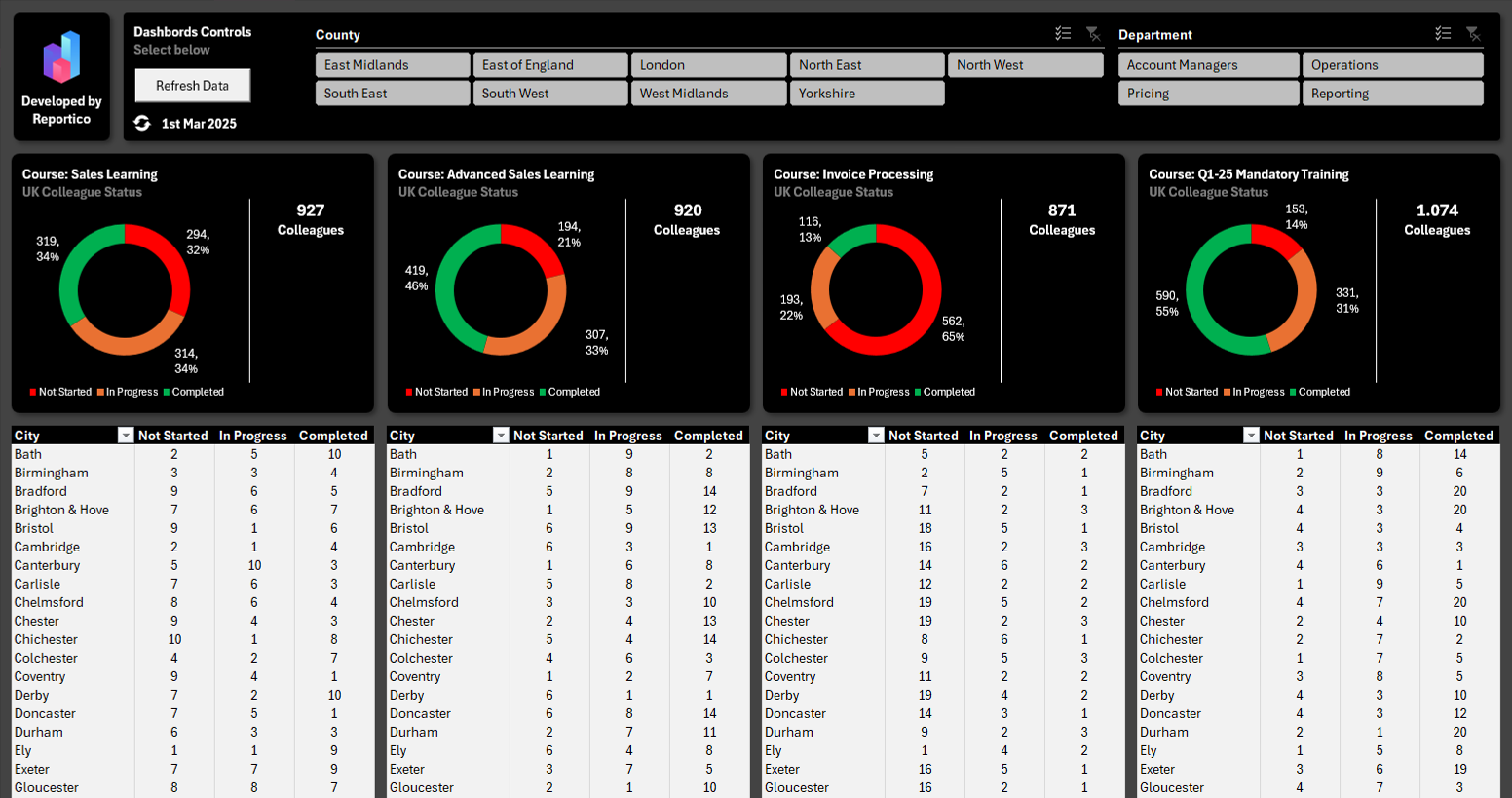
Training completion tracker
Completion status for four courses across the UK, with a city-by-city breakdown under each one.
A dashboard built for the people who read it.
Built around your KPIs
We start from what you report on now and design the screen around it. Nothing comes from a template.
Filters and drill-downs
Slicers and drill-downs let managers answer their own questions without touching the raw files.
In your brand
Your logo, colours and fonts, so it looks like yours when it goes in front of the board.
Automated Excel report included
The data work comes built in. Your sources are pulled together, cleaned by fixed rules and refreshed in one click, the same build as our Automated Excel Reports service, feeding the dashboard.
Built for teams that report the same way every month.
A good fit if
Probably not the right fit if
You test it on your own numbers before you sign anything off.
A free reporting review
Thirty minutes on your actual files. We tell you what can be automated, what can't, and roughly what it would take. You get a written summary either way.
A fixed quote
One price for the whole job, with the scope written down before anything starts. If anything changes later, we agree that in writing too.
We build it
Most builds take a few days. Something complex can run to a couple of weeks. We need your source files and one short session on the logic. Your team carries on as normal.
Test it, then sign off
Ten working days to run it on a month you've already reported and check it matches. If anything doesn't do what we agreed, we put it right. Sign it off when it does.
Covered for 3 months
From the day you sign off, we fix any defect in what we built, free of charge. That covers your next three month‑ends.
What you get at handover
A report your team can't run without us isn't much of an improvement. So the handover is part of the job, not an afterthought.
A live walkthrough
We take whoever runs the report through it, step by step, until they can run it without us.
Written steps
A short guide in plain English: how to refresh it, where each number comes from, what to do if a source file moves.
Yours to keep
Every report it produces is yours outright. The workbook comes with a permanent licence to use and edit it across your group.
Changes, quoted up front
Need something new later? We quote it as a fixed-price job before any work starts.
If the finished work doesn't do what we agreed it would do, we'll put it right. If we can't, you get your money back in full.
Common questions
Yes. We pull your sources together and clean them as part of the build, so the dashboard runs off data it can trust.
Yes. Yes. Adding or changing KPIs after you’ve signed off is quoted as a fixed price before we start. Defects in the build are fixed free for 3 months.
No. It runs in Microsoft 365 Excel on a Windows desktop. If mobile or browser access is a must, a BI tool is the better fit and we'll tell you on the review call.
From £1,499 for up to two data sources and one dashboard with up to six KPIs and two charts. The final price is fixed in writing after the free review.